Are you looking for the best web application development frameworks to build fast and reliable web apps? Our following blog will help you find the right fit for your project.
We can understand choosing the right framework is quite complex yet it’s important, too. It can speed up development and make your app work smoothly.
We recommend you to connect with any reputable web app development company. They have experts that can solve all your work needs efficiently and timely.
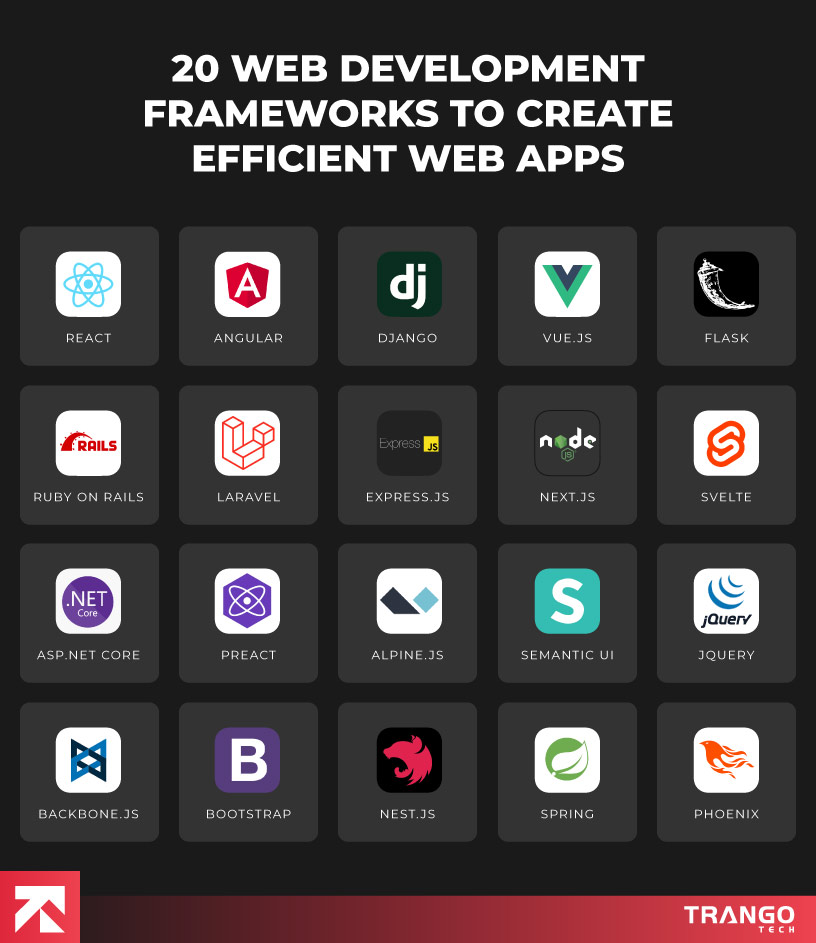
Let’s discover the best 20 web application development frameworks that help businesses develop user-friendly and scalable web applications.
Below is a quick lowdown on the top 20 web apps that help businesses launch their dream web applications effortlessly.
Table Of Contents
Top 20 Web Application Development Frameworks to Create Scalable & Efficient Web Apps
1. React
React is a widely-used JavaScript library created by Facebook. It’s known for building dynamic and responsive user interfaces.
It makes development faster through reusable components as well as efficient rendering using a virtual DOM.
Besides, it supports both web and mobile platforms. That is highly beneficial for cross-platform projects.
Overall, with strong community support and a rich ecosystem, it is a top choice for modern front-end development.
Ideal for;
Startups, SMEs, and large enterprises looking to build fast, scalable, and user-centric web /mobile apps. Perfect for companies focused on building interactive UIs, Single-Page Applications, or Progressive Web Apps.
Key Features:
Cross-platform support for web and mobile
Component-based architecture for modular development
Virtual DOM for fast and efficient UI updates
Robust ecosystem with tools like Create React App and Next.js
Active community and rich plugin availability
Ideal for building fast and scalable Single-Page Applications
Pros and Cons of React:
Pros
Cons
Reusable components
Learning curve due to JSX syntax
Fast performance with virtual DOM
Requires third-party libraries for routing and state management
Strong community and documentation
Frequent updates may require relearning
Backed by Facebook and widely adopted
2. Angular
Another best web application development framework is Angular.
It is a powerful front-end framework developed and maintained by Google.
It is used for building large-scale and enterprise-grade web applications. Since, it is based on TypeScript, it requires an in-depth coding experience.
It comes with built-in tools for routing, forms, HTTP, and more. It means developers don’t need to rely heavily on external libraries.
Overall, its modular architecture helps in maintaining complex applications.
Ideal for:
Medium to large businesses. Suitable for enterprise-level applications that require security, scalability, and long-term support. Great for development teams that prefer a complete, opinionated solution. Ideal where structure and consistency are important.
Key Features:
• TypeScript-based for structured and scalable code
• Two-way data binding for real-time UI updates
• Built-in routing, forms, and services
• CLI tools for scaffolding and automation
• Dependency injection for cleaner architecture
• Modular structure for easy testing and maintenance
Pros and Cons of Angular:
Pros
Cons
Full-featured with everything built-in
Steep learning curve for beginners
Strong integration with TypeScript
Verbose syntax and complexity
Great tooling and CLI support
Heavier bundle size compared to alternatives
Backed by Google with long-term support
3. Django
Considering most popular web frameworks, Django is another big name. It is a high-level Python framework built for rapid web development.
It promotes clean, pragmatic design and follows the “batteries-included” philosophy.
It comes with built-in tools like authentication, admin panel, and ORM. All these tools and platforms help developers build secure and scalable apps quickly.
In a nutshell, it’s widely used for data-heavy and content-rich websites.
Ideal for:
Startups to large enterprises. Best suited for businesses building data-driven platforms, e-commerce, CMS, or SaaS products. Ideal for teams needing speed, scalability, and security from day one.
Key Features:
Rapid development with built-in modules
Integrated ORM for database operations
Built-in admin interface for content management
Secure by default against common web threats
Highly scalable for high-traffic apps
Strong community and excellent documentation
Pros and Cons of Django:
Pros
Cons
Fast development with built-in features
Not designed for real-time apps
Secure framework out of the box
Monolithic structure can limit flexibility
Great admin panel for non-dev teams
Needs front-end integration for modern UIs
Scales well for large applications
4. Vue.js
When we talk about frameworks for web development, Vue.js is a remarkable platform. It is a progressive JavaScript framework used to build interactive web interfaces.
It is design in such a way that is easy to be adaptable and to integrate. It combines the best features of Angular and React with a gentle learning curve.
Its core library focuses on the view layer. That makes it lightweight and flexible. Though, optional tools and libraries extend its capabilities for larger applications.
Ideal for:
Startups and small to mid-sized businesses that need fast, efficient, and maintainable web applications. Great for teams looking for simplicity. Highly useful especially for building SPAs and lightweight front-end interfaces.
Key Features:
Reactive data binding for dynamic UIs
Simple and intuitive syntax for fast onboarding
Component-based architecture similar to React
Flexible structure—use as a library or full framework
Detailed documentation and strong community
Seamless integration with existing projects
Pros and Cons of Vue.js:
Pros
Cons
Easy to learn and get started with
Smaller ecosystem compared to React or Angular
Lightweight and fast
Less corporate backing (community-driven)
Flexible and adaptable
May not be ideal for very large-scale projects
Great documentation and tooling
5. Flask
Flask is a micro web framework written in Python. It gives developers full control over how an application is structured.
It doesn’t force patterns or tools. The following front-end framework suits projects that need flexibility.
It works well for building APIs, lightweight web services, or MVPs.
Additionally, it includes a built-in development server, debugger, and support for unit testing.
Jinja2 templating allows dynamic content generation. Developers can add extensions for features like authentication, database support, and forms.
Ideal for:
Solo developers, startups, and teams building APIs, prototypes, or small-scale web apps. Works well in projects where performance and customization come first. Also fits micro service-based systems that need lightweight components.
Key Features:
• Minimal setup and high flexibility
• Built-in debugger and testing tools
• RESTful request handling and routing
• Jinja2 template engine for HTML rendering
• Strong extension support for extra functionality
• Good compatibility with frontend frameworks
Pros and Cons of Flask:
Pros
Cons
Lightweight and fast
No built-in admin interface
Flexible structure for custom projects
Lacks built-in database layer
Suitable for microservices and APIs
Manual setup needed for many features
Strong Python community support
Less suitable for large monolithic apps
6. Ruby on Rails
While assessing essential tools that complement modern frameworks, Ruby on Rails is another notable name.
It is a full-stack web framework built using the Ruby language.
It follows the MVC pattern and uses “convention over configuration.”
This speeds up development and keeps code consistent.
You’ll find everything in this tool needed to build a web app – routing, database ORM (ActiveRecord), security features, and testing tools.
Moreover, it automates repetitive tasks. Highly useful for teams to focus on app logic and business needs.
For organizations looking to leverage its full potential, partnering with one of the best Ruby on Rails development companies can ensure scalability, clean architecture, and long-term maintainability.
Ideal for:
Tech startups, SaaS platforms, and teams building data-rich apps. Strong choice for businesses that need fast launches, clean architecture, and well-supported community. Also fits long-term projects where maintainability matters.
Key Features:
MVC architecture for organized code
ActiveRecord ORM for database interaction
Built-in testing, routing, and security layers
Rich ecosystem of libraries (gems)
Scaffolding for generating models and views
Strong conventions for faster onboarding
Pros and Cons of Ruby on Rails:
Pros
Cons
Fast development with built-in tools
Slower performance under high traffic
Strong conventions reduce boilerplate
Can feel complex for beginners
Large community and library support
Heavier for small or simple applications
Ideal for database-heavy web apps
7. Laravel
Laravel is a popular PHP framework that helps in improving performance with the right framework choices.
It is used for building modern, secure, and scalable web applications.
It provides an intuitive structure with expressive syntax. The following framework includes tools for routing, database migrations, authentication, and testing.
Besides, it utilizes Eloquent ORM for database access and Blade as its templating engine. Also, supports REST APIs and integrates with Vue or React on the front end.
Its ecosystem includes tools like Laravel Forge and Laravel Vapor for deployment and scaling.
Ideal for:
Small to medium businesses, digital agencies, and PHP teams. Fits projects like CMS platforms, marketplaces, and business portals. Helps teams that want built-in features, developer-friendly syntax, and scalable architecture.
Key Features:
MVC architecture with clear folder structure
Artisan CLI for automation and scaffolding
Eloquent ORM for intuitive database access
Blade templating engine for dynamic views
Built-in authentication and session handling
Laravel Mix for asset management
Pros and Cons of Laravel:
Pros
Cons
Clean and expressive code structure
Can struggle with very large-scale apps
Built-in tools reduce external dependencies
Requires PHP server and deployment setup
Large and supportive community
Learning curve for deeper customization
Ideal for full-featured web platforms
8. Express.js
Searching for the best web application development framework? You can count on Express.js.
It is a fast and minimal web framework for Node.js.
It provides tools for routing, middleware, and HTTP handling. Often used to build REST APIs, web apps, or microservices.
Developers choose libraries and tools based on project needs. Plus, it features non-blocking, event-driven performance. Integrates smoothly with MongoDB, PostgreSQL, or any database.
Ideal for:
JavaScript teams, startups, and projects that need real-time data handling. Strong fit for REST APIs, dashboards, and SPAs. Useful in scalable systems or apps that share code across frontend and backend.
Key Features:
Minimalist and unopinionated design
Fast routing system for handling requests
Middleware support for custom workflows
Runs on non-blocking Node.js architecture
Easy to integrate with frontend stacks
Strong performance for real-time systems
Pros and Cons of Express.js:
Pros
Cons
Lightweight and high-performance
Manual setup for sessions, auth, etc.
Full-stack JavaScript support
No default structure or tooling
Works well for APIs and microservices
Requires deeper backend knowledge
Flexible middleware handling
9. Next.js
Next.js is a React-based popular frontend framework developed for building fast, scalable web applications.
It supports both server-side rendering and static site generation. That helps to improve SEO and load performance.
Includes built-in routing, API handling, and image optimization. Works well for full-stack apps when combined with backend APIs or serverless functions.
Amazingly, developers can use the same codebase for both frontend and backend logic.
Ideal for:
Startups, SaaS products, and content-heavy websites. Strong fit for teams that prioritize SEO, performance, and full-stack JavaScript. Also useful for hybrid apps that require dynamic and static content handling.
Key Features:
Server-side rendering and static generation support
File-based routing system
API routes for backend functionality
Built-in image and performance optimization
Automatic code splitting and fast refresh
Seamless deployment with platforms like Vercel
Pros and Cons of Next.js:
Pros
Cons
Great for SEO and performance
Can introduce complexity with hybrid pages
Full-stack development in JavaScript
Requires server setup for dynamic features
Built-in API support and routing
Customization may break opinionated defaults
Strong community and Vercel support
Need help selecting the best framework?
Get a free strategy session with Trango Tech to align your project goals!
10. Svelte
Looking for the best frontend framework for web application development? Consider Svelte. It is a modern JavaScript framework that compiles code at build time instead of running it in the browser.
Besides, it creates highly optimized, minimal JavaScript bundles. Svelte does not use a virtual DOM. Thus, resulting in faster performance and smaller apps.
Syntax is clean and easy to learn, even for beginners. SvelteKit extends its capabilities for routing, SSR, and static generation.
Ideal for:
Freelancers, startups, and teams building highly interactive and fast web apps. Suitable for dashboards, SPAs, and apps where performance and simplicity matter. Also good for projects with limited developer resources.
Key Features:
Compile-time optimization for faster performance
No virtual DOM — direct updates to the DOM
Simple and readable syntax
Built-in transitions and state management
SvelteKit support for routing and SSR
Lightweight bundles for faster load times
Pros and Cons of Svelte:
Pros
Cons
High performance with small bundle size
Smaller community than React or Vue
Easy to learn and quick to build with
Limited third-party tools and integrations
Clean, minimal syntax
Fewer experienced developers in the market
SSR and routing via SvelteKit
11. ASP.NET Core
When we talk about reliable backend web development frameworks, you can explore ASP.NET Core.
It is a cross-platform, high-performance web framework from Microsoft.
It supports both RESTful APIs and dynamic web pages using Razor or Blazor.
ASP.NET Core is optimized for speed and reliability. It integrates with modern front-end tools, identity systems, and databases.
Highly useful to work well on Windows, macOS, and Linux environments.
Ideal for:
Enterprise apps, internal systems, and high-security platforms. Preferred for organizations already using Microsoft technologies. Useful for developers building scalable, secure, and high-traffic applications.
Key Features:
Cross-platform and cloud-ready framework
Supports Razor Pages, MVC, and Blazor
Integrated authentication and security features
Built-in dependency injection and logging
High performance with low overhead
Strong integration with SQL Server and Azure
Pros and Cons of ASP.NET Core:
Pros
Cons
High performance and scalable
More setup compared to lighter frameworks
Strong security and enterprise support
Less appealing for small MVP projects
Great tooling in Visual Studio
Limited to C# and .NET stack
Cross-platform and cloud friendly
12. Preact
Preact is a lightweight web development framework alternative to React. It offers the same component-based architecture with a much smaller bundle size.
The following tool supports modern JavaScript features like hooks and JSX. Runs fast and loads quickly, especially on mobile devices.
Works well with existing React code through compatibility layers.
Ideal for:
Startups, mobile-first projects, and performance-sensitive applications. Useful for teams that want React-like development in a smaller package. Ideal when load time and size matter most.
Key Features:
Small footprint (~3KB gzipped)
Fast rendering with virtual DOM
Supports JSX and functional components
React compatibility via preact/compat
Works with most React tooling
Easy to integrate with static sites
Pros and Cons of Preact:
Pros
Cons
Very small and fast
Lacks some advanced React features
Easy to learn for React developers
Less documentation than mainstream frameworks
Compatible with React libraries
Minor performance trade-offs with large apps
Great for mobile and embedded apps
13. Alpine.js
Alpine.js is a minimal JavaScript framework designed for interactivity in HTML. Provides Vue-like syntax directly in markup without a build process.
Great for toggling modals, tabs, or handling simple reactive state.
Frequently used with Laravel, Tailwind, and static site setups. Offers a smooth learning curve with low overhead.
Ideal for:
Static sites, Blade templates, and simple interactivity on lightweight apps. Perfect for teams looking to avoid heavy JS frameworks.
Key Features:
Declarative syntax with x-attributes
No bundling or build tools required
Lightweight footprint, fast to load
Works natively with HTML elements
Useful for small UI components
Good companion for Tailwind CSS
Pros and Cons of Alpine.js:
Pros
Cons
Simple and easy to pick up
Not built for large app complexity
Great for adding light interactivity
Debugging harder in larger setups
No build step or toolchain needed
Small ecosystem and limited extensions
Works well with server-rendered HTML
14. Semantic UI
In context of best framework for web application, Semantic UI is a reliable name.
It uses natural language class names for quick styling and layout. Includes components like modals, dropdowns, and accordions out of the box.
Supports responsive design and theming with minimal CSS work. Useful for teams focused on polished UI without building from scratch.
Ideal for:
Prototypes, client demos, and dashboards. Also good for teams that want ready-made UI components with less custom CSS.
Key Features:
Human-readable class naming system
Over 50 pre-styled components
Mobile-first and responsive grid
Custom theming with built-in tools
Rich animations and transitions
Easily integrated into any HTML layout
Pros and Cons of Semantic UI:
Pros
Cons
Quick to build visually appealing UIs
Larger file sizes compared to utility frameworks
Intuitive class names aid readability
Custom styling can require overrides
Includes all standard UI elements
Smaller dev community than Bootstrap or Tailwind
Easy to prototype and deliver fast
15. jQuery
jQuery is a fast, cross-platform JavaScript library that simplifies DOM manipulation, event handling, and AJAX.
It was essential during the early days of web development. While less common in new projects, it’s still widely used in legacy systems. Easy to learn and has a massive plugin ecosystem.
Ideal for:
Legacy apps, quick UI fixes, and simple web pages. Still useful in older enterprise systems or projects that need quick DOM scripting without modern frameworks.
Key Features:
Simplified DOM and event handling
Chainable and readable syntax
Cross-browser compatibility
Rich plugin library
AJAX support for dynamic updates
Widely supported in older projects
Pros and Cons of jQuery:
`Pros
Cons
Easy to learn and implement
Slower performance than modern frameworks
Great plugin support
Not suited for building complex UIs
Works in all browsers, even old ones
Encourages outdated coding patterns
Still maintained and well-documented
16. Backbone.js
Backbone.js is a minimalistic JavaScript framework that gives structure to web applications.
It follows an MVC-inspired pattern to separate concerns between data, UI, and business logic.
Developers get access to models with key-value binding, collections with rich APIs, and a straightforward event system.
Views handle rendering and user interactions with clarity. Since routing is built in, it allows single-page application (SPA) behavior without extra tools.
Its library works well for applications needing flexibility over strict conventions. Often used in older codebases or when performance and simplicity are more important than feature depth.
Ideal for:
Legacy web apps, SPAs needing simple structure, and teams favoring custom architecture over opinionated frameworks.
Key Features:
MVC-inspired separation of concerns
RESTful sync between models and backend
Lightweight and framework-agnostic
Built-in router for client-side navigation
Events system for decoupled communication
Works with jQuery, Underscore, and other tools
Pros and Cons of Backbone.js:
Pros
Cons
Lightweight with minimal dependencies
Outdated compared to modern stacks
Gives developers control over structure
Requires manual setup for common features
Clean API for models and collections
Lacks built-in support for UI reactivity
Useful in maintaining legacy systems
17. Bootstrap
Bootstrap is a responsive front-end toolkit. Useful for web application development. It uses HTML, CSS, and JavaScript. It helps build visually consistent websites.
The grid layout system is mobile-first. Aligns content across screen sizes easily.
Developers use pre-designed UI components. These include navbars, cards, alerts, and forms. Customization comes from Sass variables and utility classes.
Bootstrap is easy to integrate. It suits landing pages to enterprise portals. It supports accessibility and browser compatibility out of the box.
Ideal for:
Prototypes, dashboards, and teams needing reliable design tools fast.
Key Features:
Mobile-first grid system
Prebuilt components and utilities
Sass for theming
JavaScript plugins
Strong documentation
Works with plain HTML
Pros and Cons of Bootstrap:
Pros
Cons
Speeds up development and styling
UI can look generic without customization
Consistent layout on all browsers
Style overrides can get messy
Good accessibility support
Larger file size for small projects
Well-maintained and reliable
18. Nest.js
Nest.js is a progressive Node.js framework. It uses TypeScript by default. The architecture is modular and scalable.
Developers use decorators and dependency injection. This helps build clean backend APIs. Nest supports REST, GraphQL, WebSockets, and microservices.
It’s ideal for teams needing scalable and maintainable servers. It integrates with databases like TypeORM and Mongoose.
Ideal for:
Enterprise apps, real-time platforms, and TypeScript-focused projects.
Key Features:
TypeScript-first with decorators
Modular code organization
Supports REST, GraphQL, WebSockets
CLI for code generation
Easy testing with Jest
Compatible with many Node.js tools
Pros and Cons of Nest.js:
Pros
Cons
Scales well for large teams
More complex than basic Node.js setups
Clean, maintainable code
Requires TypeScript knowledge
Strong typing improves safety
Verbose for simple use cases
Good documentation and community
19. Spring
While assessing the best framework for web development, you can count on Spring. It is a robust and flexible framework for building Java-based enterprise web applications.
It provides strong support for dependency injection, data access, and transaction management.
With Spring Boot, setup becomes quicker with embedded servers and auto-configuration.
Applications built with this framework are reliable, testable, and secure.
It’s widely used in corporate environments for large-scale backend systems. Integration with tools like Spring Security, Spring Data, and Spring Cloud makes it suitable for microservices, REST APIs, and cloud-native development.
Ideal for:
Enterprise software, finance platforms, and backend-heavy apps that need scalability, security, and long-term support.
Key Features:
Powerful dependency injection and bean lifecycle control
Spring Boot for fast, production-ready app setup
Built-in support for REST, MVC, and WebSockets
Enterprise-grade security with Spring Security
Integration with databases and messaging systems
Strong testing and monitoring tools
Pros and Cons of Spring:
Pros
Cons
Highly scalable and secure
Complex learning curve for beginners
Suitable for large distributed systems
Verbose compared to newer stacks
Rich set of enterprise tools
Configuration can be overwhelming
Backed by a strong community
20. Phoenix
Phoenix is a high-performance web framework. It’s built with Elixir. It runs on the Erlang VM for concurrency. Real-time support is native with Phoenix Channels. LiveView updates UIs without JavaScript.
The following tool suits apps with many simultaneous users. It’s great for chat, dashboards, and real-time apps. The functional programming model promotes clean, composable code.
Ideal for:
Real-time apps, collaborative tools, and highly scalable platforms.
Key Features:
Built on Elixir and Erlang VM
Native WebSocket and LiveView support
Functional programming style
Context-based code organization
Fault-tolerant and scalable
Mix tool for dependency management
Pros and Cons of Phoenix:
Pros
Cons
Handles real-time traffic efficiently
Elixir has a smaller developer community
Stable under high concurrency loads
Functional paradigm may challenge some teams
LiveView reduces front-end complexity
Smaller library ecosystem compared to JS stacks
Fault-tolerant and production-ready
How to Choose the Best Web Application Development Framework?
When we talk about choosing the right web application development framework, it involves numerous parameters.
With so many options available, it’s important to focus on key factors that align with your team’s skills and project goals.
Look for frameworks that offer easy installation and clear documentation to get started quickly.
Consider the framework’s scalability and flexibility so it can grow with your app and adapt to new requirements.
Also, keep in mind the overall cost and licensing terms to avoid surprises.
Lastly, think about how steep the learning curve is. Also, check whether the framework allows customization to meet your unique needs or not.
Below, the following table will help you weigh these aspects carefully before taking final decision.
Ability to grow with your app, support for new features
Ensures long-term usability and adaptability
Look for modularity and plugin ecosystems
Cost & Budget
Free/open source vs paid licenses, maintenance costs
Keeps project within financial limits
Consider total cost of ownership, not just upfront fees
Learning Curve
Ease of learning, availability of training resources
Faster team onboarding and productivity
Choose frameworks your team can pick up quickly
Customization & Extensibility
Ability to tailor and extend framework functions
Meets unique project requirements
Check for plugin support and API flexibility
Want to pick the perfect framework?
Get a free quote from Trango Tech to start building your web app today!
Build a Powerful Web App with Trango Tech
Have an idea for a web app? Trango Tech can help turn it into something real — and powerful.
Our 15+ years of experienced team works with you from the start. They take care of everything related to your app.
No matter, if you’re launching a startup, modernizing legacy systems, or scaling an enterprise platform, we can help you choose the most suitable frameworks.
Besides, we assist you in choosing the right tools, and architecture, too.
Security, performance, and future scalability are baked into every step of development.
The result is a seamless, responsive, and high-performing web application that drives growth.
Here is what you can expect while working with us;
Customized development based on your business requirements
Use of modern frameworks like React, Angular, Node.js, Django, and more
Scalable architecture with cloud integration and API-first design
Secure coding practices to safeguard user data and business logic
Ongoing support, maintenance, and optimization post-launch
Bottom Line:
There’s no one-size-fits-all when it comes to selecting the best web application development frameworks.
Each option has its own strengths, limitations, and standout features.
Popular choices include ASP.NET Core, jQuery, Semantic UI, Foundation, Ruby on Rails, Laravel, Spring, Phoenix, Flask, and CakePHP.
We recommend you when picking a framework, consider factors. For instance, project size, performance, scalability, ease of use, and community support.
The right choice can speed up development, improve user experience, and reduce long-term maintenance.
We hope our above blog on the best 20 web application development frameworks help you find the perfect match for your business needs.
Ready to launch your web app?
Contact Trango Tech for a free consultation and start building a powerful, scalable application!
Frequently Asked Questions
Q1. Why do we use web frameworks?
Web frameworks make development easier and faster. They offer pre-built tools, libraries, and components. It helps developers avoid writing repetitive code. Frameworks also improve app security and structure. They are great for building stable and scalable applications.
Q2. What is the main use of a framework?
A framework gives structure to the development process. It includes rules, templates, and useful tools. This helps developers work more efficiently. It also improves code quality and keeps everything organized. Frameworks are ideal for teams building large or complex apps.
Q3. What factors should I consider when choosing a web application development framework?
You should think about your project’s size and goals. Check if the framework supports scalability and performance. Make sure your team is comfortable with the tech stack. Look at the community, documentation, and how often the framework is updated. All these factors affect long-term success.
Q4. Which framework is best for building Single-Page Applications (SPAs)?
React.js is a leading choice for SPAs. It offers fast updates and a smooth user experience. Vue.js is also great for building lightweight and dynamic apps. Both are flexible and work well for modern, interactive web applications. They support reusable components and easy integration.
Q5. Why should I use a framework for the web application development process?
The main purpose of using frameworks is that they reduce the need to build everything from scratch. They come with built-in features like routing, templates, and security tools. Eventually, it helps save time and reduces development costs. They also help teams build reliable, scalable, and maintainable apps.
Q6. How to create an app from a website?
You can use tools like React Native or Flutter to turn your website into a mobile app. These tools let you reuse your existing codebase. Another option is to build a Progressive Web App (PWA). PWAs work offline, load faster, and feel like native apps. Both methods improve reach and user engagement.
Q7. How to build a web app at Trango Tech?
The process starts with defining your goals and core features. We choose the best tools and frameworks for your project. We focus on designing a user-friendly interface and writing efficient code.
After thorough testing, your app gets launched. Continuous improvements are made based on user feedback and performance.
Mariam Amin is an Electronics Engineering graduate and a passionate content marketer specializing in tech and SaaS. At Trango Tech, a leading mobile app development company, she creates easy-to-understand content on mobile app development, using her technical background to support practical digital strategies. Outside of work, Mariam enjoys exploring new food trends, staying active, and relaxing with documentaries or movies.