Troubleshooting common web app development issues is a key part of building successful digital products for businesses.
These problems can affect performance, user experience, and even revenue. A small bug or delay in loading time can turn users away fast.
For businesses, these issues can lead to lost users, reduced sales, and a poor brand image
Many common issues pop up during development. Some are easy to spot, while others can hide deep in the code. Some problems come from poor planning, while others happen after updates or new features are added.
Every web application development company faces these challenges during a project. From code errors to server issues, problems can show up at any stage.
If not fixed early, they can grow into bigger issues that are harder and more expensive to solve.
In this blog, we’ll explore the most common web app development challenges that businesses deal with. Eventually, helping your business save time, reduce costs, and get better results.
Let’s begin!
Common Web Application Challenges That Hurt Businesses—and How to Solve Them
Before understanding the common challenges, it’s wiser to learn about how to build a web app from scratch.
Here are some of the common pitfalls you can expect during your web app launch. Let’s quickly learn the causes and how to fix them.
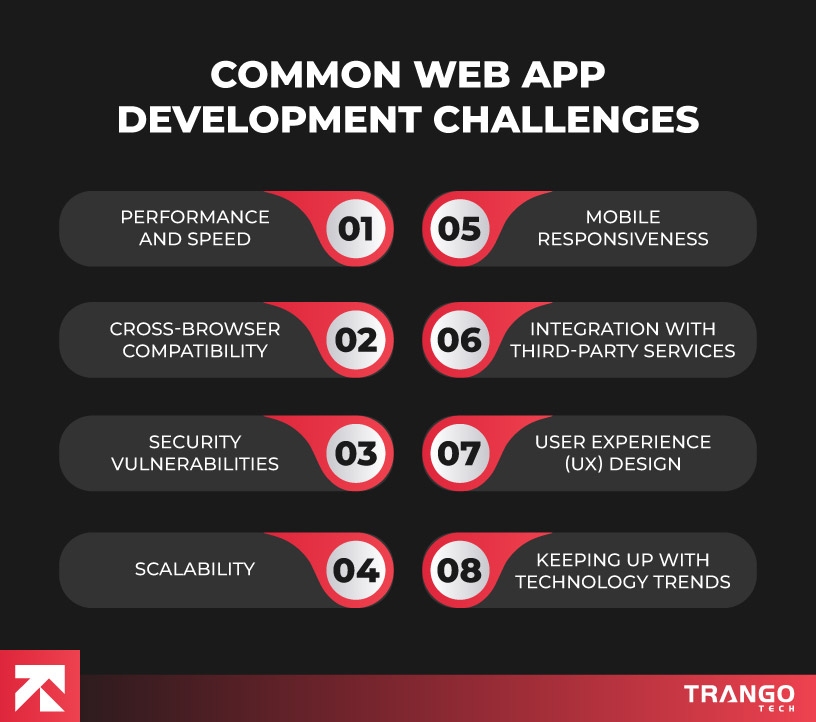
1. Performance Bottlenecks and Slow Load Times
A slow web app is one of the quickest ways to lose users. People expect websites to load fast—within 2 to 3 seconds. If it takes longer, they’ll likely leave.
Common causes:
- Unoptimized images or videos
- Too many HTTP requests
- Poor backend performance
- Heavy JavaScript or CSS files
- Weak server response time
How to identify them:
- Use Google Lighthouse to check performance scores
- Try GTmetrix to analyze page speed and get suggestions
- Monitor server response with Pingdom or your hosting tools
Solutions and best practices:
- Compress and resize images
- Use lazy loading for media
- Minify CSS and JavaScript files
- Implement caching strategies
- Choose a reliable hosting service
2. Cross-Browser and Cross-Device Compatibility
Your app should look and work the same across all browsers and devices. If users see broken layouts or bugs on their phones or certain browsers, they may stop using your app. Besides, you need to assure that the team you recruit must utilize the latest web app development frameworks.
Why it matters:
- Users access your app on phones, tablets, and desktops
- They may use Chrome, Firefox, Safari, or Edge
Tools for testing:
- BrowserStack: Test your app on different browsers and OS combinations
- Responsively App: See how your UI looks on multiple screen sizes at once
You can also explore advanced cross-browser testing tools that streamline the process, ensuring consistent functionality and design across all browsers and devices.
How to resolve layout issues:
- Use responsive design (flexbox, media queries)
- Avoid browser-specific code unless needed
- Test early and often on real devices or emulators
3. Security Vulnerabilities
Security is a big concern in web application development. If your app has weak security, attackers can steal data, inject malicious scripts, or even take control of your system. This is why implementing structured security practices—such as a vulnerability disclosure program, where VDP is essential—can help organizations identify and remediate risks before they become major issues.
Common vulnerabilities:
- XSS (Cross-site scripting): Injecting scripts into your web pages
- SQL Injection: Inserting harmful code into database queries
- CSRF (Cross-site request forgery): Forcing users to perform unwanted actions
Tools for auditing:
- OWASP ZAP: A free tool for finding security issues
- Snyk: Scans for vulnerabilities in code and dependencies
Best practices:
- Always validate and sanitize user input
- Use HTTPS on all pages
- Keep libraries and frameworks up to date
- Apply proper authentication and session management
4. Integration Failures with APIs and Third-Party Services
Many web apps rely on external APIs—for payment, data, login, or analytics. When these integrations fail, parts of your app stop working.
How to diagnose issues:
- Use logs to track failed requests and error codes
- Monitor API response times and downtime
- Use tools like Postman to test endpoints
Common errors:
- Wrong authentication tokens or keys
- Incorrect data formats (e.g., sending a string instead of a number)
- Rate limits or expired access
Handling fallbacks:
- Show helpful error messages to users
- Use retries or queue systems for failed requests
- Always validate API responses before using them
5. Scalability and Server-Side Crashes
As your user base grows, your web app needs to handle more traffic. If it’s not built to scale, it can crash under pressure, especially during traffic spikes.
Common causes:
- Limited server resources (CPU, RAM)
- Poorly optimized backend code
- No load balancing or auto-scaling
- Blocking operations or memory leaks
Monitoring tools:
- New Relic and Datadog: Monitor server health, traffic, and error rates
- UptimeRobot: Alerts you when your app goes down
Best practices:
- Use cloud services like AWS, Azure, or Google Cloud for easy scaling
- Set up load balancing to distribute traffic
- Optimize database queries and background jobs
Add caching layers (e.g., Redis, CDN) to reduce server load
6. Database-Related Issues
Your database is the heart of your app. If it runs slow or breaks, your whole app can suffer. Poor database performance can delay page loads, cause timeouts, or show wrong data.
Common issues:
- Slow or unindexed queries
- Data inconsistency due to poor schema design
- Connection leaks or too many active connections
Optimization techniques:
- Use indexes on frequently queried fields
- Regularly check query performance with tools like EXPLAIN (for SQL)
- Limit returned data with pagination or specific columns
- Use connection pooling and manage open connections properly
Helpful tools:
- pgAdmin, MySQL Workbench for managing databases
- Redgate, Datadog DB monitoring, or built-in cloud DB tools
7. Version Control and Deployment Errors
Code deployment should be smooth. But poor version control or broken pipelines can lead to downtime, bugs in production, or overwriting changes.
Common problems:
- Code conflicts not resolved before merging
- Missing environment settings or secrets
- Wrong version pushed to production
Tips for smooth deployment:
- Use Git with clear branch strategies (e.g., main/dev/feature)
- Automate builds with CI/CD tools like GitHub Actions, GitLab CI, or Jenkins
- Test builds in staging before production
- Set up rollback options in case of failure
8. User Experience (UX) and Functional Bugs
Even if the app works technically, a bad user experience can drive people away. Bugs in core features or confusing interfaces can frustrate users quickly.
Common issues:
- Broken buttons or forms
- Features not working as expected
- Confusing navigation or design
Why it matters:
- Bad UX reduces conversions and trust
- Frustrated users leave without reporting problems
Best practices:
- Do user testing regularly
- Watch session replays (e.g., Hotjar, FullStory) to spot issues
- Collect feedback from real users
- Test critical user journeys (e.g., login, checkout) often
9. Inadequate Testing and QA Processes
Skipping proper testing is one of the biggest causes of bugs in production. If features aren’t tested well, users may run into issues that developers never saw.
Common mistakes:
- Relying only on manual testing
- Skipping regression tests after updates
- Not testing on all browsers or devices
Types of testing you should include:
- Unit testing: Checks if small parts of code work (e.g., functions, methods)
- Integration testing: Tests if different parts of the app work together
- End-to-end (E2E) testing: Simulates real user actions in the browser
Helpful tools:
- Jest, Mocha for unit testing
- Cypress, Playwright, or Selenium for end-to-end testing
- Postman or Insomnia for API testing
Best practices:
- Set up automated tests in your CI/CD pipeline
- Test before every release, not after users complain
- Fix bugs before moving to new features
10. Poor Communication Between Teams
Many web app issues happen because of poor communication—not technical problems. If developers, designers, testers, and business teams aren’t aligned, confusion and mistakes follow.
Common breakdowns:
- Developers are not getting clear requirements
- Designers do not know what’s technically possible
- Testers are missing features that were added late
Solutions:
- Use tools like Slack, Trello, or Jira to track tasks and updates
- Hold daily stand-ups or regular check-ins
- Keep clear documentation for APIs, features, and processes
- Involve all teams early in the planning phase
Good communication helps you catch problems early, avoid rework, and build faster.
Web App Issues Slowing Down Your Business? Here’s How to Handle Them
Web application issues can quietly hurt your business by reducing user satisfaction, slowing down workflows, or even causing lost revenue.
Regardless of the challenge you may face, either it’s poor loading speed, broken features, or unexpected crashes, it can lead to poor customer experiences.
The longer they go unchecked, the more damage they can do—both to your reputation and your bottom line.
Luckily, most issues can be identified and fixed with the right approach and tools.
Troubleshooting Tips & Tricks
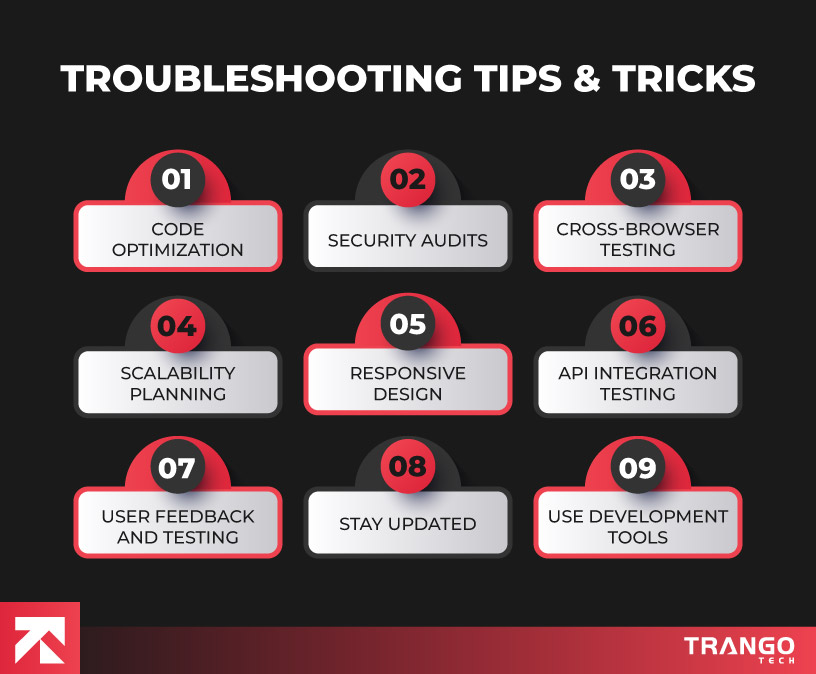
Code Optimization
Use performance tools like Lighthouse, GTmetrix, or Pingdom to track load times and identify slow code or heavy assets that need optimization.
Security Audits
Regularly scan your app for vulnerabilities using tools like OWASP ZAP or Snyk. Keep your code and dependencies updated to prevent security risks.
Cross-Browser Testing
Test your app across multiple browsers and devices using tools like BrowserStack to catch layout or functionality issues early.
Scalability Planning
Monitor your app’s performance and resource usage. Use uptime monitoring and error tracking tools such as Sentry or LogRocket to detect failures under load and plan for scaling.
Responsive Design
Ensure your app looks great and works well on all screen sizes by testing regularly on different devices.
API Integration Testing
Keep an eye on API response times and errors. Use monitoring tools and manual testing to verify that third-party services and APIs work smoothly.
User Feedback and Testing
Collect feedback through tools like Hotjar or user surveys to find pain points. Combine this with regular manual and automated testing for best results.
Stay Updated
Keep your frameworks, libraries, and tools current. Regular updates help fix bugs and improve security.
Use Development Tools
Create a consistent QA and deployment workflow. Use version control, staging environments, and automated testing to catch bugs before release.
Common Web App Development Issues – Troubleshooting Reference Table
| Common Issues |
Possible Causes |
How to Identify |
Recommended Tools |
Solutions / Fixes |
| Slow Performance / Load Times |
Unoptimized images, heavy scripts, poor server |
Page speed scores, high bounce rates |
Google Lighthouse, GTmetrix, Pingdom |
Compress media, use caching, minify files, upgrade hosting |
| Cross-Browser or Device Bugs |
Inconsistent CSS/JS, missing fallbacks |
UI breaks on certain browsers/devices |
BrowserStack, Responsively, manual testing |
Use responsive design, fix browser-specific bugs |
| Security Vulnerabilities |
Unvalidated input, outdated packages |
Unusual behavior, vulnerability scans |
OWASP ZAP, Snyk, CodeQL |
Sanitize input, use HTTPS, patch libraries |
| API/Integration Failures |
Invalid tokens, broken endpoints |
4xx/5xx errors, feature not working |
Postman, API logs, monitoring tools |
Add error handling, validate responses, retry on failure |
| Database Issues |
Slow queries, poor schema design |
Delays in data load, timeouts |
EXPLAIN in SQL, DB logs, monitoring tools |
Add indexes, normalize schema, use connection pooling |
| Crashes Under Load / Scalability Problems |
Limited server capacity, blocking code |
App crashes with traffic spikes |
New Relic, Datadog, UptimeRobot |
Load balancing, cloud scaling, async tasks |
| Deployment/CI Errors |
Merge conflicts, missing configs |
Build fails, wrong version live |
Git logs, CI/CD pipeline logs |
Automate testing, use environment configs, rollbacks |
| UX/Functional Bugs |
Incomplete testing, unclear design |
User complaints, low engagement |
Hotjar, user feedback, manual testing |
Improve UI, test user flows, fix broken elements |
| Poor Communication Between Teams |
Lack of shared tools or updates |
Misaligned expectations, feature delays |
Project management tools (Jira, Slack) |
Daily stand-ups, clear documentation, agile practices |
Final Thoughts: Create a Revenue-Generating Web App with Trango Tech
Troubleshooting common web app development issues is essential for business success. Fixing problems early saves time, reduces costs, and keeps users happy.
A smooth, fast, and secure web app builds trust and drives revenue.
At Trango Tech, we understand the challenges businesses face when developing web apps.
Our expert team helps you avoid common pitfalls and deliver high-quality solutions that grow with your business. We focus on performance, security, seamless integrations, and excellent user experience.
Using our web application development services, you get an app that works well on all devices and browsers.
We help reduce downtime and fix bugs quickly so your users stay happy and engaged.
Launch your project faster with our expert support & create an app that drives real business results.
Frequently Asked Questions (FAQs)
-
What makes Trango Tech’s web application development services different?
At Trango Tech, we focus on combining high-end technology after understanding your business requirements. Our team ensures your app is fast, secure, and scalable. We offer transparent communication and tailor solutions to your unique needs. Our web services are premium and affordable which sets us apart from other providers.
-
How can troubleshooting improve my web app’s performance?
Troubleshooting helps identify hidden issues like slow loading, bugs, or security risks. By addressing these problems early, you improve user experience, reduce downtime, and save costs on future fixes. The following aspects keep your app running smoothly and support business growth.
-
How do I know if my web app needs a performance audit?
If your users experience slow loading times, crashes, or broken features, it’s time for an audit. Regular audits also prevent issues before they impact customers. Tools like Google Lighthouse and GTmetrix can give initial insights. However, expert analysis helps solve deeper problems. You can get in touch with our adept web developers.
-
What types of businesses does Trango Tech work with?
We work with startups, SMBs, and enterprises across many industries, including e-commerce, healthcare, finance, and education. Our flexible approach allows us to build custom web applications that meet diverse business goals and user needs.
-
How does Trango Tech ensure the security of web applications?
Security is a top priority at Trango Tech. We follow best practices like input validation, encryption, and regular vulnerability testing. Our team stays updated on the latest threats and uses tools such as OWASP ZAP and Snyk to keep your app safe from attacks.