Nowadays, instant messaging has become a daily essential , with many turning to apps like Kik for seamless communication. It is no surprise that the global market for messaging apps, including Kik alternatives, is set to reach a staggering $128.2 billion by 2025. In fact, it has been predicted that it will skyrocket to $341.43 billion by 2030.
While Kik has long been a popular choice for chatting and meeting new people, many users are now looking for better Kik alternatives that offer more privacy, security, and exciting features.
Whether you’re looking for a chatting platform to connect with friends or a safer space to talk, there are plenty of options to explore.
From most popular apps like WhatsApp, Snapchat, or Discord, the choices are endless.
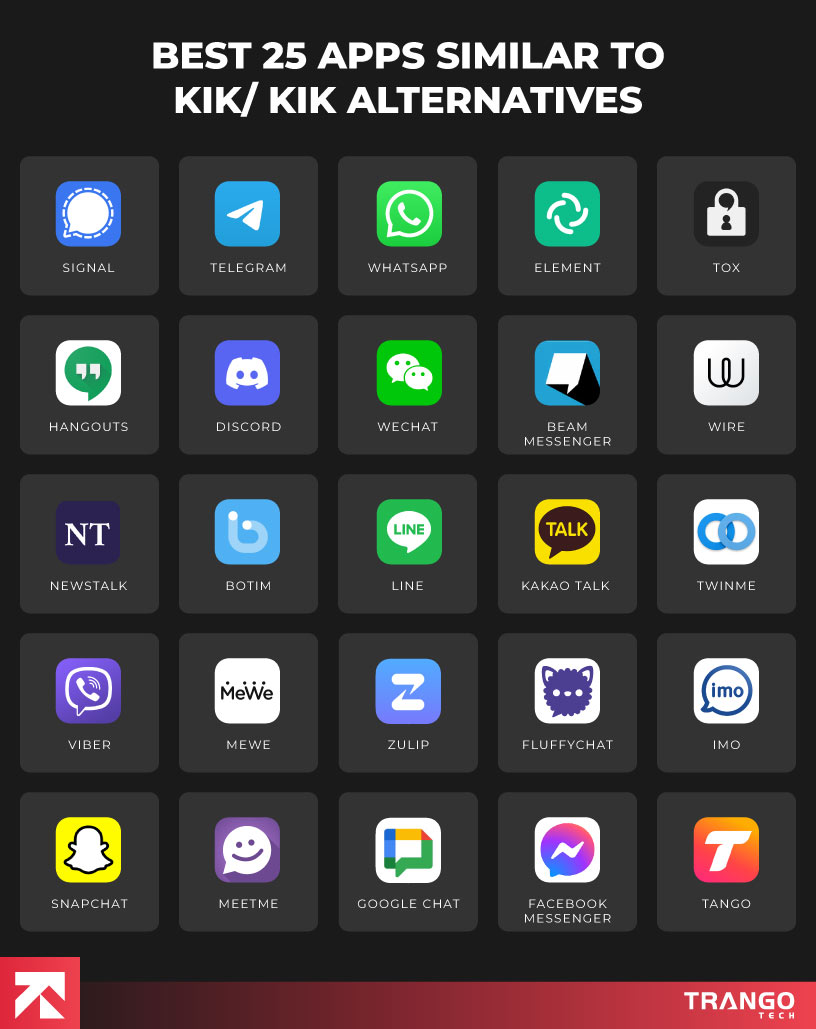
Below, we’ll uncover the best 25 Apps like Kik/apps similar to Kik that will help you discover the perfect app to suit your needs.
Let’s dive into the top Kik alternatives one-by-one and learn all the essential information associated to choosing the right one for your personal or business needs. We recommend you to partner with any trustable mobile application development company to kick start your app journey.
Top 25 Apps Similar to Kik You Must See
Below is a quick rundown on the trending apps similar to Kik for secure messaging and chatting. Let’s explore each of them in detail one-by-one.
1. Signal

Signal is one of the best similar apps to kik. It is a secure messaging application known for its focus on privacy and protection. It’s ideal for those who are in search of a secure and encrypted messaging platform. Besides, it provides complete end-to-end encryption, which means it guarantees that only you and the individual you’re conversing with can go through the messages.
Signal is distinguishable for its dedication to user privacy, as it functions without gathering user data or monitoring actions. Thus, presenting a strong option for those worried about online monitoring. Due to its open-source code, it security undergoes frequent evaluations by experts. The application is accessible on both mobile and desktop. Eventually, allows you to remain securely connected across devices.
Key Features of Signal:
- End-to-end encryption for all messages and calls
- Self-destructing messages for extra privacy
- No ads and no tracking
- Video calling for secure face-to-face communication
Pros & Cons of Signal:
| Pros |
Cons |
| Strong privacy with end-to-end encryption |
Smaller user base compared to other apps |
| Free to use, with no ads |
Can be harder to find contacts compared to mainstream apps |
| Open-source with regular updates |
Requires phone number for account creation |
| Self-destructing messages for added security |
|
Requires
Android 5.0 & up, iOS 15.0 or up
Size
105 MB Android, 162 MB iOS
2. Telegram

Telegram is a widely used kik like apps messaging application, likewise Signal. It is best known for its efficiency and flexibility. It’s commonly used for individual conversations, group chats, and sending large files.
It distinguishes itself by providing cloud-based messaging, allowing you to access your chats on various devices, such as mobile, desktop, and a web interface.
A significant characteristic of Telegram is its capacity to accommodate large groups, allowing up to 200,000 members, which makes it ideal for communities and companies.
Thanks to its quick speed and emphasis on versatility, Telegram has emerged as a preferred app for numerous users seeking a comprehensive messaging experience.
Key Features of Telegram:
- Cloud-based, access chats across devices
- Support for large groups and channels
- Variety of bots and integrations
- Multimedia sharing, including files up to 2GB
Pros & Cons of Telegram:
| Pros |
Cons |
| Fast, cloud-based messaging system |
Standard chats are not end-to-end encrypted |
| Large group support, up to 200,000 members |
Can become overwhelming with too many channels or groups |
| Offers bots and automations |
No phone number protection in standard chats |
| High file-sharing limits (up to 2GB) |
|
Requires
Android 6.0 or up, iOS 12.0 or up
Size
53 MB Android, 165 MB iOS
3. WhatsApp

WhatsApp ranks among the most widely used messaging applications globally just like Snapchat, providing secure and rapid communication for both personal and professional purposes. Through end-to-end encryption, WhatsApp guarantees that just you and the recipient have the ability to read the messages.
It accommodates text messaging, voice/video calls, and multimedia sharing, such as documents and location. WhatsApp is simple to use and operates smoothly on multiple devices, making it perfect for daily communication.
Although it is widely used, WhatsApp has sparked concerns about data privacy and its ownership by Facebook, potentially deterring users who prioritize privacy. Overall, it is among the best chat apps like Kik.
Key Features of WhatsApp:
- End-to-end encryption for messages, calls, and media
- Voice/video calling and multimedia sharing
- Group chats and status updates
- Location sharing and document sending
Pros & Cons of WhatsApp:
| Pros |
Cons |
| End-to-end encryption for secure communication |
Owned by Facebook, raising privacy concerns |
| Easy to use with simple setup |
Limited control over data due to centralized nature |
| Works seamlessly across multiple devices |
Needs a phone number for registration |
| Popular app with a large user base |
|
Requires
Android 5.0 & up, iOS 12.0 or up
Size
122 MB Android, 140 MB iOS
4. Element

When we talk about alternatives to Kik, Element is a secure messaging application that is open-source and based on the Matrix protocol. It is intended for users seeking control over their discussions and information.
In contrast to other applications, Element enables users to run their own servers, providing greater flexibility regarding privacy and control.
It’s perfect for companies or individuals who emphasize decentralized communication. It permits messaging, voice communication, video conferencing, and file exchanges. Thereby, rendering it a flexible resource for both personal & professional purposes.
Moreover, its flexibility to support multiple platforms allows you to easily access it on your mobile or desktop devices.
Key Features of Element:
- End-to-end encryption for all messages and calls
- Open-source, with customizable server options
- Secure group messaging and voice/video calls
- File sharing and integration with third-party apps
Pros & Cons of Element:
| Pros |
Cons |
| Strong encryption with end-to-end protection |
Setup can be complex for non-technical users |
| Fully open-source and community-driven |
Smaller user base compared to larger platforms |
| Allows self-hosting of servers for maximum control |
Some features might be harder to access for beginners |
| Cross-platform with mobile and desktop support |
|
Requires
Android 5.0 or up, iOS 15.0 or up
Size
64 MB Android, 132 MB iOS
5. Tox

Tox is a peer-to-peer messaging app known for prioritizing security and privacy. The following alternative to kik uses end-to-end encryption to protect all messages, voice/video calls, and file transfers.
As a decentralized application, Tox operates without reliance on central servers, guaranteeing that your data remains private and completely within your control.
This makes it an attractive choice for users looking for a completely secure and censorship-free messaging service. Nonetheless, its peer-to-peer architecture provides the utmost level of privacy, making it one of the most secure messaging apps available today.
Key Features of Tox:
- End-to-end encryption for all communications
- Peer-to-peer architecture with no central servers
- Voice/video calling, file sharing, and text messaging
- No registration required, ensuring privacy
Pros & Cons of Tox:
| Pros |
Cons |
| Full privacy with decentralized peer-to-peer network |
Smaller user base compared to other messaging apps |
| End-to-end encryption for all messages and calls |
May have a less polished user interface |
| Open-source and free to use |
Fewer features compared to mainstream apps |
| No central servers, ensuring no data collection |
|
Requires
Android 4.4 or up
6. Hangouts

Hangouts, previously a well-known messaging application by Google, enables users to send text messages, initiate voice/video calls, and share media with their friends and family.
It works seamlessly with other Google services, allowing for easy access if you’re already part of the Google ecosystem.
Although the subsequent app provides strong functionalities such as group discussions and video calls, it has mostly been substituted by Google Meet and Google Chat in numerous Google Workspace services.
Nevertheless, it remains an excellent choice for informal communication, particularly for individuals seeking a user-friendly application that connects with Gmail, Google Calendar, and other Google applications.
To sum up, it is another remarkable kik alternative.
Key Features of Hangouts:
- Text messaging, voice, and video calls
- Integration with Google services (Gmail, Google Calendar, etc.)
- Works across desktop and mobile devices
Pros & Cons of Hangouts:
| Pros |
Cons |
| Easy to use with a simple interface |
Largely replaced by Google Meet and Google Chat |
| Seamless integration with Google services |
Limited customization options |
| Supports video conferencing and group chats |
No dedicated support for businesses or teams |
| Cross-platform availability |
|
Requires
Android 5.0 or up
7. Discord

If you’re searching for top chat apps similar like kik, Discord is another great option. It is a messaging and voice communication platform designed for building communities, making it a great choice for group chats, gaming, and collaboration.
Known for its powerful voice and video call features, Discord also allows users to send text messages, share media, and engage in group discussions.
One of its standout features is the ability to create and manage custom servers, where users can organize channels for specific topics.
In addition to messaging, Discord has a rich ecosystem of bots, integrations, and tools that enhance functionality. With its emphasis on community engagement, Discord has become a go-to app for gamers, creators, and social groups alike. Also, you can opt for apps like Discord to get your hands on the best application.
Key Features of Discord:
- Voice and video calling options
- Custom servers and channels for specific topics
- Rich bot and integration support
- Large group chats and community building tools
Pros & Cons of Discord:
| Pros |
Cons |
| Fun, creative stickers and emoji features |
Limited international user base |
| Offers strong privacy with Hidden Mode |
Features are not as advanced as other messaging apps |
| Includes social networking features (HikeLand) |
Has been focusing more on social networking than pure messaging |
| Free to use with no ads |
|
Requires
Android 7.0 or up, iOS 15.1 or up
Size
80 MB Android, 208 MB iOS
8. WeChat

WeChat, commonly called a “super app,” is among the most popular messaging applications in China. It merges messaging, social networking, and payment functionalities into a single platform. WeChat enables users to send text messages, initiate voice and video calls, share images, and even settle bills or order meals, all within one application. This adaptability renders it a comprehensive solution for individual, professional, and even commercial dealings.
Key Features of WeChat:
- All-in-one messaging, social media, and payment platform
- Mini-programs for third-party apps and services
- Ability to send money, pay bills, and make reservations
- Public accounts for businesses and celebrities
Pros & Cons of WeChat:
| Pros |
Cons |
| Versatile app for messaging, payments, and more |
Privacy concerns due to government surveillance |
| Easy to use with a simple interface |
Limited availability outside of China |
| Integration with third-party services (mini-programs) |
Some features require a Chinese phone number |
| Large user base, especially in Asia |
|
Requires
Android 7.0 or up, iOS 14.0 or up
Size
147 MB Android, 734 MB iOS
9. Beem

Beem is a messaging application that prioritizes security and privacy, highlighting encrypted communications. It provides complete encryption for all messages, guaranteeing that only you and the receiver can access your chats.
The following chat alternative offers text messaging, voice calls, and file sharing, all while prioritizing user privacy and data protection. In contrast to numerous other applications, Beem refrains from gathering user data or monitoring user behavior, positioning it as an excellent option for those who prioritize privacy.
Key Features of Beem Messenger:
- End-to-end encryption for all communication
- Secure voice calls, text messaging, and file sharing
- No tracking or collection of user data
- Simple and easy-to-use interface
Pros & Cons of Beem Messenger:
| Pros |
Cons |
| End-to-end encryption for ultimate privacy |
Smaller user base compared to popular messaging apps |
| No data collection or tracking |
Limited features compared to larger platforms |
| Simple interface with easy setup |
Less mainstream recognition in the app market |
| Cross-platform support (mobile & desktop) |
|
Requires
Android 7.0 or up, iOS 12.4 or up
Size
74 MB Android , 72 MB iOS
10. Wire

Wire – being in the list of the other apps like kik is a messaging app that focuses on security and end-to-end encryption, guaranteeing user privacy. It allows users to send text messages, make voice and video calls, and share files, ensuring that only the intended recipients can access the content.
Wire offers a clean and user-friendly interface, making it perfect for both personal and professional interactions. It is available on multiple platforms, including mobile phones and computers, enabling you to stay connected while you’re traveling.
While Wire provides strong privacy features, its user base is smaller compared to other messaging applications, which may diminish its appeal for those seeking a more widely-used platform.
Key Features of Wire:
- End-to-end encryption for secure communication
- Open-source software, regularly reviewed for security
- Cross-platform support for mobile and desktop
- Secure voice and video calls
- Ability to send multimedia files and share documents
Pros & Cons of Wire:
| Pros |
Cons |
| Strong privacy with end-to-end encryption |
Smaller user base compared to other messaging apps |
| Open-source with transparent security features |
Some users may find the interface too simple |
| Cross-platform availability (mobile and desktop) |
Limited integrations with third-party apps |
| User-friendly interface for easy navigation |
|
Requires
Android 8.0 or up, iOS 16.0 or up
Size
15 MB Android, 87 MB iOS
11. Newstalk

Newstalk is a messaging app designed for seamless communication with a strong focus on real-time conversations and instant notifications.
This app combines simplicity with efficiency, allowing users to send text messages, make voice and video calls, and share multimedia effortlessly.
Newstalk is equipped with group chat functionality, enabling users to connect with multiple people at once. The app also offers unique features such as temporary or “ephemeral” messages that disappear after being viewed.
Though Newstalk is still growing in popularity, it offers a refreshing user experience with its straightforward design and privacy-focused features.
Key Features of Newstalk:
- Temporary messages that disappear after viewing
- Voice and video calls with smooth connectivity
- Group chat functionality for easy collaboration
- Multimedia sharing, including images, videos, and files
Pros & Cons of Newstalk:
| Pros |
Cons |
| Simple and intuitive design |
Still growing in terms of its user base |
| Ephemeral messages for added privacy |
Limited advanced features compared to larger apps |
| Supports multimedia sharing |
May lack integrations with popular third-party apps |
| Secure messaging with strong privacy focus |
|
Requires
Android 7.0 or up, iOS 12.0 or up
Size
46 MB Android, 90 MB iOS
12. BOTIM

BOTIM is a messaging application created for safe communication featuring end-to-end encryption. It facilitates text messaging, voice and video calls, along with file sharing.
BOTIM is particularly favored in nations where voice calls and messaging are limited, enabling users to circumvent restrictions.
A prominent characteristic of BOTIM is its capability to function in areas with stringent online rules. Offering free messaging and calling allows users to remain connected no matter where they are.
Although BOTIM is strong in terms of connectivity and security, it is missing some advanced functionalities and integrations available in bigger platforms such as WhatsApp or Telegram.
Key Features of BOTIM:
- End-to-end encryption for secure communication
- Text, voice, and video calling features
- Available in regions with internet call restrictions
- Simple, easy-to-use interface
Pros & Cons of BOTIM:
| Pros |
Cons |
| Strong end-to-end encryption for privacy |
Limited features compared to larger apps |
| Works well in countries with internet restrictions |
Smaller user base than mainstream apps |
| Supports voice/video calls and file sharing |
Lacks advanced features like bots and integrations |
| Simple and user-friendly interface |
|
Requires
Android 5.0 or up, iOS 12.0 or up
Size
97 MB Android, 383 MB iOS
13. LINE

LINE is a well-known messaging app celebrated for its diverse features, including text messaging, voice/video calls, and multimedia sharing.
This app provides a complete communication experience with its intuitive interface and additional features like stickers, emojis, and social networking functionalities. It additionally offers free voice and video calls, making it a great choice for connecting with friends and family.
A unique characteristic of LINE is its integration with multiple services, such as LINE Pay for payments, LINE Games, and LINE News. All in all, it is another great app like Kik.
Key Features of LINE:
- Free voice and video calling options
- Text messaging, multimedia sharing, and group chats
- Stickers and emojis for personalized communication
- LINE Pay for easy payments and transfers
Pros & Cons of LINE:
| Pros |
Cons |
| Free voice and video calls across devices |
Privacy concerns due to connection with Naver |
| Wide range of features including stickers and games |
Limited popularity outside of Asia |
| Easy-to-use interface and cross-platform support |
Not as secure as some privacy-focused alternatives |
| LINE Pay for convenient payments and transfers |
|
Requires
Android 9 or up, iOS 16.0 or up
Size
90 MB Android, 377 MB iOS
14. Kakao Talk

Kakao Talk is a contemporary messaging application created to maintain your chats structured and readily available. It merges conventional texting with advanced features such as intelligent message sorting and improved notification settings.
It aims to deliver a smooth and efficient communication experience, enabling users to monitor crucial messages while minimizing distractions.
The app’s distinctive method of organizing messages, along with its capability to categorize and prioritize discussions, makes it an excellent resource for individuals seeking a more effective way to handle their chats.
Key Features of Kakao Talk:
- Smart message categorization and prioritization
- Organized and intuitive interface for easy navigation
- Customizable notification settings to control alerts
- Multi-device synchronization for consistent access
- Secure message storage for easy retrieval
Pros & Cons of Kakao Talk App:
| Pros |
Cons |
| Smart categorization of messages for better organization |
Still gaining popularity and has a smaller user base |
| Customizable notifications for improved control |
Limited advanced features compared to larger messaging apps |
| Easy-to-use interface with quick access to important messages |
Lacks some integrations with third-party apps |
| Multi-device synchronization for seamless use across platforms |
|
Requires
Android 9 or up, iOS 16.0 or up
Size
86 MB Android, 508 MB iOS
15. Twinme

Twinme is a privacy-focused chatting app similar to Kik that gives users complete control over their conversations.
It provides a high level of anonymity and security via end-to-end encryption. And that, too, without the need for a phone number or email during the registration process.
It enables text messaging, voice calls, video calls, and sharing of multimedia, all via a simple and intuitive interface.
The app’s distinctive feature is its focus on privacy. It ensures that your data remains private and that no central server stores your messages.
However, the small user base and lack of broad recognition could limit its capacity to attract a varied audience. Overall, it’s a remarkable social platform.
Key Features of twinme:
- End-to-end encryption for secure communication
- No phone number or email required to register
- Text, voice, and video calls, plus file sharing
- No central server to store messages
- Simple and user-friendly interface
Pros & Cons of twinme:
| Pros |
Cons |
| Strong privacy with end-to-end encryption |
Smaller user base compared to popular apps |
| No registration required for anonymity |
Limited integrations with third-party services |
| Simple and intuitive interface |
Less recognition compared to major messaging apps |
| No central server for added data security |
|
Requires
Android 5.0 or up, iOS 12.0 or up
Size
18 MB Android, 108 MB iOS
16. Viber

Viber is a commonly used chat application like Kik that enables users to send texts, make voice and video calls, and share files. It offers group messaging, multimedia exchange, and also includes stickers to improve communication.
A key feature of Viber is its capability to facilitate inexpensive international calls, making it an excellent option for users wishing to remain connected beyond borders. Viber additionally offers a feature known as Viber Out, enabling users to call non-Viber numbers at reasonable prices. Although Viber boasts a substantial user base, it frequently gets eclipsed by other applications such as WhatsApp and Telegram in certain areas.
Key Features of Viber:
- Free text messaging, voice and video calls
- Low-cost international calls via Viber Out
- End-to-end encryption for secure communication
- Group chats and multimedia sharing
- Stickers and emojis for personalized chats
Pros & Cons of Viber:
| Pros |
Cons |
| Low-cost international calls via Viber Out |
Privacy concerns related to data collection |
| End-to-end encryption for secure communication |
Less popular than WhatsApp and Telegram in some regions |
| Easy-to-use interface with rich media sharing |
Some features are restricted in certain countries |
| Cross-platform support (mobile and desktop) |
|
Requires
Android 5.0 & up, iOS 15.2 or up
Size
62 MB Android, 287 MB iOS
17. MeWe
MeWe, being in the list of reliable apps similar to kik. It is an app for messaging and social networking that emphasizes privacy and provides a distinct combination of secure communication. It offers text messaging, voice and video calls, in addition to group chats, all through an easy-to-use and intuitive interface.
MeWe emphasizes user privacy by refraining from selling user data and provides end-to-end encryption for every private message. Users can exchange multimedia, form and oversee groups, and engage through posts, rendering it a flexible platform for personal and professional purposes.
Although it might not possess as extensive a user base as popular apps, its focus on privacy and user empowerment positions it as a viable option for individuals wanting a safe social experience.
Key Features of MeWe:
- End-to-end encryption for private messages
- Voice and video calls with strong privacy protection
- Group chat creation and management
- Multimedia sharing including images and videos
- No ads or data selling, prioritizing user privacy
Pros & Cons of MeWe:
| Pros |
Cons |
| Strong privacy with end-to-end encryption |
Smaller user base compared to mainstream apps |
| No ads or selling of user data |
Lacks some advanced features found in other platforms |
| Easy-to-use interface with multimedia support |
Some features may require paid membership for full access |
| Group management features and social networking tools |
|
Requires
Android 7.0 or up, iOS 16.0 or up
Size
70 MB Android, 123 MB iOS
18. Facebook Messenger

Facebook Messenger ranks among the most popular messaging applications, when it comes to finding alternatives to Kik. It provides text messaging alongside multimedia options such as voice and video calls. It permits users to exchange photos, videos, and files, and accommodates group conversations and games.
Besides, it is linked with Facebook, which allows seamless communication with friends directly within the Facebook platform.
Moreover, the app may become overloaded with excessive features. Thus, resulting in a less streamlined experience than more straightforward messaging applications.
Key Features of Facebook Messenger:
- Text messaging, voice, and video calls
- Multimedia sharing and file sending
- Integration with Facebook for easy contact management
- Group chats, games, and interactive features
- Cross-platform support (mobile and desktop)
Pros & Cons of Facebook Messenger:
| Pros |
Cons |
| Convenient integration with Facebook |
Privacy concerns due to data collection practices |
| Rich feature set, including games and group chats |
Can become bloated with unnecessary features |
| Cross-platform support (mobile and desktop) |
Requires a Facebook account to use the app |
| Easy to share multimedia and files |
|
Requires
Android 9.0 or up, iOS 15.1 or up
Size
66 MB Android, 155 MB iOS
19. Tango

Tango is a messaging application that offers text conversations, voice and video calls, as well as multimedia sharing. It is known for its fun features like live video streaming, social gaming, and stickers.
It also allows users to stay updated on their favorite celebrities and watch live performances. Tango is a fantastic platform for those looking for a more interactive and social messaging experience.
Additionally, Tango has encountered scrutiny concerning privacy concerns and its business model, which includes advertisements and in-app purchases.
Key Features of Tango:
- Text messaging, voice and video calls
- Live video streaming and social games
- Follow celebrities and watch live performances
- Multimedia sharing with stickers and effects
- Cross-platform support (mobile and desktop)
Pros & Cons of Tango:
| Pros |
Cons |
| Fun and interactive features like live streaming |
Focused more on entertainment than messaging |
| Free voice and video calls |
Smaller user base compared to larger platforms |
| Easy multimedia sharing with stickers and effects |
Ads and in-app purchases can disrupt the experience |
| Cross-platform support (mobile and desktop) |
|
Requires
Android 8.0 and up
20. IMO

Imo – being in the reliable list of other apps like Kik. It is a messaging app that enables users to send texts, make voice and video calls, and share photos and videos. The app is celebrated for its intuitive layout and ease of use, making it a popular choice for those looking for a straightforward messaging experience.
Imo works with both smartphones and computers, enabling users to stay connected no matter which device they are using. It also allows for group discussions and makes international audio and video calls easier.
A major advantage of the app below is its ability to work smoothly even with slower internet connections, making it usable in regions with limited network infrastructure.
Nevertheless, it has a comparatively smaller user base when stacked against other messaging applications such as WhatsApp.
Key Features of imo:
- Free voice and video calls, even internationally
- Text messaging and multimedia sharing
- Cross-platform support (mobile and desktop)
- Group chats and file sharing capabilities
- Low data usage for calls and messages
Pros & Cons of imo:
| Pros |
Cons |
| Works well with slow internet connections |
Smaller user base compared to apps like WhatsApp |
| Free voice and video calls, including international calls |
Ad-supported, which can be annoying for some users |
| Cross-platform support for mobile and desktop |
Limited advanced features compared to larger platforms |
| Simple and user-friendly interface |
|
Requires
5.0 and up (Android), 13.0 and later (iOS)
Size
48 MB Android, 224 MB iOS
21. Snapchat

Snapchat is a well-liked multimedia messaging application recognized for its distinctive elements like disappearing messages, entertaining filters, and augmented reality (AR) functionalities. Users can share images and videos that vanish automatically once they have been seen.
Snapchat enables voice and video calls, along with chat messaging. The application is popular among younger users due to its engaging and interactive features such as Snap Maps, Stories, and Discover. You can also use other apps like Snapchat for smooth interaction with your loved ones.
What distinguishes the following Kik alternative is its emphasis on creative expression, enabling users to incorporate stickers, text, and drawings into their photos and videos. Despite being enjoyable and captivating, the app mainly emphasizes brief, casual interactions. In short, snapchat is making waves being in the list of apps like kik.
Key Features of Snapchat:
- Disappearing photos and videos (Snaps)
- Fun filters and augmented reality features
- Snap Maps to see where friends are located
- Stories and Discover for sharing content
Pros & Cons of Snapchat:
| Pros |
Cons |
| Fun and interactive features like filters and AR |
Primarily designed for short-lived, casual interactions |
| Disappearing messages for added privacy |
Privacy concerns related to data collection |
| Cross-platform support (mobile devices) |
Not ideal for long, in-depth conversations |
| Easy-to-use interface with creative tools |
|
Requires
Android 5.0 and up, iOS 14.0 or up
Size
75 MB Android, 299 MB iOS
22. MeetMe

MeetMe is a social networking application centered on linking individuals via chatting, video conversations, and sharing common interests. It aims to assist users in meeting new individuals, building friendships, or potentially discovering partners.
The app includes live chat, video broadcasting, and options for sending virtual gifts to other users. It offers a simple method to connect with similar individuals via its interest-focused matching system. Moreover, the app’s dependence on advertisements can interfere with the user experience.
Key Features of MeetMe:
- Real-time chat and video calls
- Interest-based matching for connecting with like-minded people
- Virtual gifts and sharing options
- Live video streaming capabilities
- User-friendly interface for quick setup
Pros & Cons of MeetMe:
| Pros |
Cons |
| Great for meeting new people and forming connections |
Attracts spammers and less trustworthy users |
| Easy-to-use interface with quick setup |
Focus on social interactions may not suit everyone |
| Virtual gifts and live streaming features |
Ads can disrupt the user experience |
| Interest-based matching system for better connections |
|
Requires
Android 8.0 or up, iOS 15.0 or up
Size
214 MB Android, 306 MB iOS
23. Google Chat

Google Chat is an application for messaging intended for both professional and personal interactions. It is a component of Google Workspace that enables users to send instant messages, establish group conversations, share files, and work collaboratively on documents in real time. Google Chat works effortlessly with other Google services such as Google Drive and Google Meet, positioning it as a strong tool for collaboration and productivity.
Key Features of Google Chat:
- Direct messaging and group chats
- Seamless integration with Google Workspace (Docs, Drive, Meet)
- Real-time file sharing and collaboration
- Customizable notifications for better control
Pros & Cons of Google Chat:
| Pros |
Cons |
| Easy integration with Google services |
Limited feature set compared to other messaging apps |
| Great for collaboration and productivity |
Primarily designed for Google Workspace users |
| Cross-platform support for mobile and desktop |
Less focus on entertainment or casual messaging |
| Customizable notifications for better control |
|
Requires
Android 6.0 or up, iOS 16.0 or up
Size
12 MB Android, 336 MB iOS
24. Zulip

Zulip is a communication app tailored for team messaging, especially in professional environments. It provides a distinctive “streaming” format in which messages are categorized by topic, allowing users to easily track discussions on particular themes.
Zulip facilitates text messaging, file sharing, voice calls, and integrates effectively with other business applications such as Google Drive and GitHub. This makes it a favored option for professional settings that require structured and targeted communication.
Key Features of Zulip:
- Topic-based conversation organization (streams)
- File sharing and multimedia support
- Voice and video calling capabilities
- Integrates with business tools (e.g., Google Drive, GitHub)
- Open-source software with customization options
Pros & Cons of Zulip:
| Pros |
Cons |
| Topic-based organization for better focus |
Primarily designed for business use |
| Great for team collaboration and file sharing |
Interface might be overwhelming for casual users |
| Integrates with other business tools |
Smaller user base compared to general messaging apps |
| Open-source software with customization options |
|
Requires
Android 7.0 or up, iOS 14.0 or up
Size
17 MB Android, 16 MB iOS
25. FluffyChat
FluffyChat is an open-source messaging app focused on privacy and security. It is designed to support end-to-end encrypted messaging, voice calls, and video calls. FluffyChat works on the Matrix protocol, which is decentralized, allowing users to communicate across different platforms. One of the key benefits of FluffyChat is that it gives users control over their data, with no centralized server storing their messages.
Key Features of FluffyChat:
- End-to-end encryption for secure communication
- Built on the decentralized Matrix protocol
- Voice and video calls with encrypted connections
- Customizable themes and stickers
- Open-source app with no data tracking
Pros & Cons of FluffyChat:
| Pros |
Cons |
| Focus on privacy with end-to-end encryption |
Can be challenging to set up for new users |
| Built on the decentralized Matrix protocol |
Smaller user base compared to mainstream apps |
| Open-source with no data tracking |
Lacks certain advanced features of larger platforms |
| Customizable themes and stickers |
|
Requires
Android 5.0 or up, iOS 12.1 or up
Size
22 MB Android, 78 MB iOS
5 Best Kik Alternatives We Picked for You
Looking for a messaging app that offers better features, security, or a unique experience? You don’t have to settle for just Kik. There are so many great alternatives to choose from.
Whether it’s seamless multimedia sharing, enhanced privacy, or community-focused options, these apps provide an upgraded chat experience.
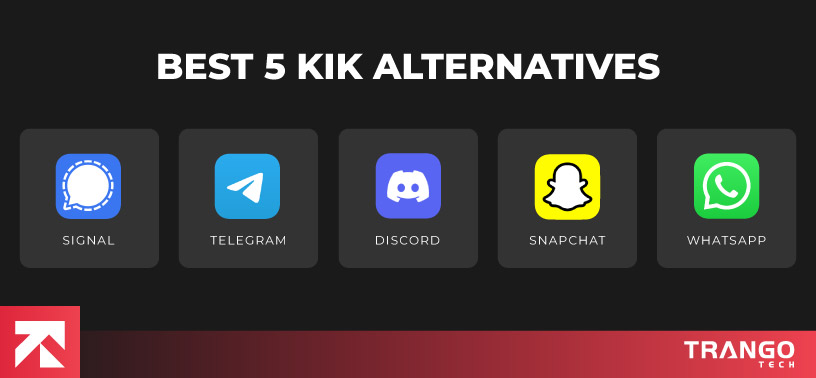
Check out the top 5 Kik alternatives below to find your perfect fit:
| Apps |
Key Features |
Platform Compatibility |
Special Note |
| Signal |
End-to-end encryption, secure messaging, voice/video calls, open-source |
iOS, Android, Desktop |
Known for its high security and privacy focus |
| Telegram |
Cloud-based, group chats, channels, bots, end-to-end encryption for secret chats |
iOS, Android, Desktop, Web |
Popular for its flexibility and large groups |
| WhatsApp |
End-to-end encryption, voice/video calling, status updates, group chats, multimedia sharing |
iOS, Android, Web |
One of the most widely used messaging apps worldwide |
| Discord |
Voice/video chats, group chats, community building, game integration, screen sharing |
iOS, Android, Desktop, Web |
Great for large communities and gamers |
| Snapchat |
Self-destructing messages, multimedia sharing, filters, video calls, stories |
iOS, Android |
Famous for its disappearing messages and fun filters |
These Kik alternatives come with their own unique strengths, whether you’re looking for stronger security, better multimedia features, or tools for community interaction.
Why Look for Alternatives to Kik?
While Kik has been a popular choice for millions, it may not always meet the needs of every user. Whether you’re concerned about privacy, searching for new features, or simply looking for a fresh user experience, there are many reasons why people seek alternatives to Kik.
With the rise of messaging apps that prioritize security, provide unique features, or offer a more streamlined experience, it’s easier than ever to find an app that suits your specific needs. So, if you’re looking for something beyond Kik, you’re not alone—explore the possibilities for a more personalized and secure messaging experience.
Reasons to Look for Kik Alternatives
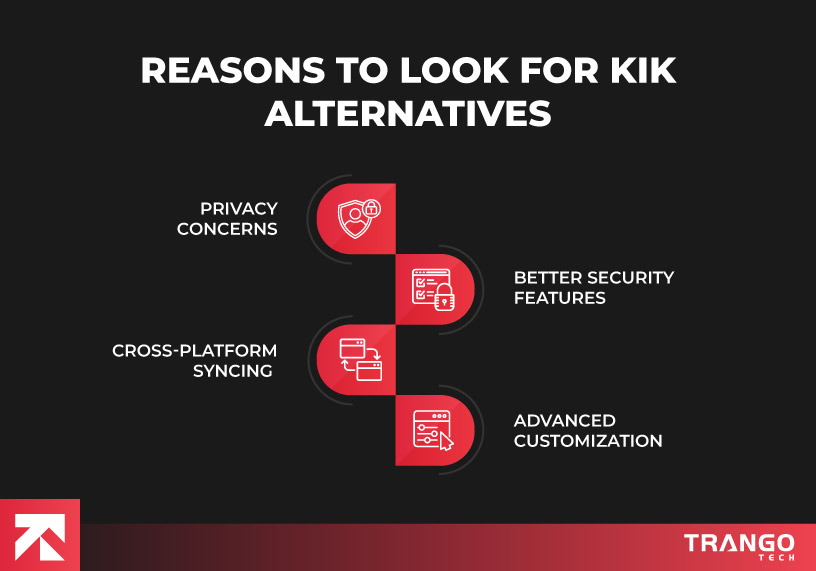
Kik has faced criticism for its data collection practices, prompting users to seek more secure, privacy-focused options.
Another remarkable benefit of developing app similar to Kik is that it offer end-to-end encryption and more advanced security features.
Apps like Telegram and WhatsApp allow seamless syncing across multiple devices, making communication smoother.
Some apps offer better options for customizing your profile, chat settings, and notification preferences.
How to Choose the Right Messaging App?
Choosing the right messaging app can feel like a daunting task, especially with so many options available worldwide.
Generally, it’s not about chatting with friends anymore; it’s about finding an app that aligns with your values, lifestyle, and personal needs.
Whether you’re looking for top-notch security, a huge user base, or extra features like multimedia sharing, the right app can enhance your communication experience.
- Prioritize security and look for apps that offer end-to-end encryption and strong privacy features.
- Consider the app’s user base to ensure your friends or the people you want to connect with are using it.
- Make sure the app supports multimedia sharing like photos, videos, and files if that’s something you use frequently.
- Check if the app is compatible across multiple platforms (iOS, Android, Web) for seamless communication no matter where you are.
- Explore any additional features like video calls, voice messages, or customizable chat settings to find the ones that best fit your needs.
- Think about how much control you want over the app’s customization, from notification settings to how your profile appears.
The Future of Messaging Apps
Messaging apps are no longer just about sending text messages today. They’re evolving into dynamic platforms that integrate the latest technologies to enhance communication.
In the upcoming years, we’re seeing a massive shift towards smarter, more secure, and feature-rich messaging experiences. And that too, that go beyond basic chat.
With newest trends and technologies, like artificial intelligence (AI), augmented reality, and many more, the future of messaging promises to be more interactive, immersive, and user-centric than ever before.
According to Cognitive Market Research, the global Mobile Messaging App market is valued at USD 105,421.2 million, with Asia Pacific holding 23% of the market share. In 2025, the region is expected to generate USD 24,246.88 million and grow at a CAGR of 18.2%.
Here are the key trends shaping the future of messaging apps:
| Trends |
Explanation |
| AI Integration |
AI is becoming more common in messaging apps, providing automated responses, smart assistants, and personalized recommendations. |
| End-to-End Encryption |
Security remains a priority, with even more emphasis on protecting user data, ensuring that only the sender and receiver can access the messages. |
| Augmented Reality (AR) |
AR features like filters, interactive stickers, and virtual elements are being integrated, making chats more fun and interactive. |
| Better User Interfaces |
Apps are focusing on more intuitive, user-friendly designs, with simplified navigation and cleaner layouts to enhance the experience. |
| Cross-Platform Synchronization |
Messaging apps are working toward seamless syncing across devices (e.g., mobile, desktop, web) for a consistent experience. |
| Voice and Video Communication |
Improved voice and video calling with features like screen sharing, group calls, and HD quality are becoming standard. |
| Focus on Privacy and Security |
New apps are focusing on user control, offering features like self-destructing messages, anonymous chatting, and more granular data control. |
| Integration with Other Services |
Messaging apps are linking with services like e-commerce, banking, and entertainment, allowing users to do more within a single platform. |
FAQ’s (Frequently Asked Questions)
1. What are the best Kik alternatives in 2025?
Some of the top Kik alternatives include apps like Signal, Telegram, WhatsApp, Discord, and Snapchat. These apps offer similar features, such as group chats, voice/video calls, and enhanced privacy settings. Meanwhile, it also provides unique functionalities that cater to different user preferences. Each alternative comes with a set of strengths, from stronger encryption to better multimedia support.
2. What makes Kik alternatives more secure than Kik?
Many Kik alternatives, such as Signal and WhatsApp, provide end-to-end encryption, ensuring that only you and the recipient can read your messages. Unlike Kik, some of these apps have a stronger focus on user privacy and data security. These apps do not store your messages on servers after they’ve been delivered, giving you greater control over your communications.
3. Are Kik alternatives free to use?
Yes, most Kik alternatives like Signal, Telegram, and WhatsApp are free to use. They offer features like messaging, voice/video calls, and group chats at no cost. However, some apps, like Discord, offer premium features through a paid subscription (e.g., Discord Nitro) for additional perks, but the core functionality remains free.
4. Which Kik alternative is best for group chats in 2025?
Telegram and Discord are among the best Kik alternatives for group chats in 2025. Both apps support large group chats with advanced moderation tools, file sharing, and seamless integration with bots. Telegram allows users to create public channels for unlimited members, while Discord offers customized servers with channels for different topics.
5. How do Kik alternatives handle spam or unwanted messages?
Kik alternatives like WhatsApp, Telegram, and Signal often have stronger anti-spam features than Kik. For example, WhatsApp allows users to report and block spam accounts, while Telegram provides tools to manage bots and unwanted messages in group chats. These apps tend to offer more robust controls to keep communication safe and spam-free.