The web development market always craves tools that make development smarter, faster, and more enjoyable.
If you are a full-stack web app development company or an indie developer, it’s important to be familiar with high-end technologies and tools.
In fact, the growing complexity of modern apps means that the right tools can save you hours (or even days) of work.
Cortex’s survey shows developers lose 5–15 hours per week on tasks that could be automated, especially gathering context and waiting on approval.
So, what are developers actually using in 2025 to build fast, beautiful, and scalable web applications?
In this blog, we are gonna share the most popular and widely adopted website development tools that developers genuinely love using every day.
Ready to streamline your web development process?
Let Trango Tech help you choose the perfect tools for your project.
Table Of Contents
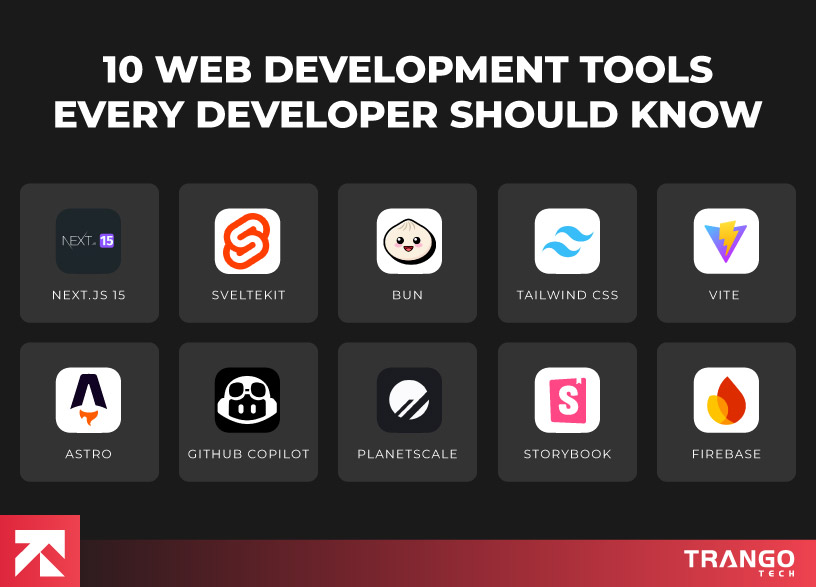
Top 10 Web Development Tools You Must Try Out
1. Next.js 15
Next.js has been the go-to React framework for a few years now, and version 15 only reinforces that status.
It is among the most useful web application development tools, built to handle everything from simple static sites to complex enterprise digital products.
Now, it comes with full support for React Server Components, Edge rendering, and even Turbopack, its turbocharged build tool.
Here is what makes this tool useful:
File-based routing and API routes make full-stack dev a breeze.
Built-in image optimization and performance tuning.
Tight integration with platforms like Vercel and PlanetScale.
Feature
Description
App Router with Server Components
Let’s you mix client and server logic smoothly — more performance, less hassle.
Edge & Serverless Support
Run your functions close to users for faster response times.
Turbopack (new bundler)
Replaces Webpack with blazing speed during development.
Built-in API Routes
Easily build backend logic without spinning up a separate server.
SvelteKit is the framework for those who are tired of heavyweight front-end setups.
Unlike web development tools, Svelte compiles your code down to highly efficient vanilla JavaScript with no runtime overhead, resulting in pure performance.
With SvelteKit, building production-ready web applications becomes smooth and effective like never before.
Here is what makes this framework useful:
Lightning-fast load times and minimal JavaScript.
Truly reactive programming without needing complex state libraries.
Improved TypeScript support and flexible routing.
Feature
Description
Compile-time Reactivity
Your app runs faster because there’s no runtime overhead.
File-Based Routing
Just drop your files into a folder, and SvelteKit handles the rest.
Built-in TypeScript Support
Type-safe development out of the box.
Adapter System
Deploy anywhere: Netlify, Vercel, Cloudflare, you name it.
Zero Config
Start building without setting up a bunch of stuff.
3. Bun
Bun is way more than just a JavaScript runtime; you can use it as a complete toolkit that includes a runtime, package manager, and bundler.
Written in Zig, it’s built for speed and is quickly replacing traditional stacks that rely on Node.js, npm, and Webpack.
It is one of the best website development tools, which makes it ideal for building fast and scalable APIs.
Here is why people are switching:
All-in-one solution: install, run, bundle, test.
Extremely fast execution times.
Native TypeScript support & simple configuration.
Feature
Description
Built-in Package Manager
Faster than npm or yarn — and compatible with both.
Blazing Fast Startup & Execution
Your scripts and servers start instantly.
Bundler & Transpiler Included
No need for extra tools like Webpack or Babel.
Native TypeScript Support
Run .ts files without compiling first.
Test Runner Built-In
You can write and run tests without needing to install Jest or Vitest.
4. Tailwind CSS
Tailwind CSS remains the dominant styling framework in 2025.
Its utility-first approach lets developers build sleek, responsive UIs without ever leaving their HTML.
And thanks to one of our website development tools with a JIT engine and theming options, it scales well, even in large apps.
Here is why devs swear by it:
Speeds up design and prototyping.
Encourages consistency and scalability in UI.
Plays nicely with all major frameworks.
Feature
Description
Utility-First Classes
Style directly in your HTML — no context switching.
JIT Engine
Only compiles the styles you actually use, instantly.
Dark Mode Support
Toggle themes with ease using just a class.
Custom Themes
Easily define your own colors, fonts, spacing, etc.
Responsive Design Made Easy
Use simple classes to target mobile, tablet, and desktop.
Struggling to choose the right tools for your web app?
Our experts can recommend the perfect tech stack for your project.
5. Vite
Vite has rapidly become the default build tool for many JavaScript frameworks, including Vue, React, and Svelte.
It offers lightning-fast startup times and hot module reloading that actually feels instant.
There are several key reasons that makes it stand out:
Native support for ES modules and TypeScript.
Huge plugin ecosystem.
Extremely fast dev server and optimized production builds.
Feature
Description
Instant Dev Server
Starts in milliseconds with live reload that actually works.
Native ESM
Uses modern browser features for better performance.
Framework Agnostic
Works with Vue, React, Svelte, Solid — you name it.
Built-in HMR (Hot Module Replacement)
Changes reflect immediately in the browser.
Out-of-the-Box TypeScript Support
No extra config headaches needed.
6. Astro
Astro is a relatively new contender that’s taking a fresh approach to web development.
It focuses on delivering zero-JavaScript-by-default pages with the flexibility to sprinkle in interactivity where needed.
This web development tool works perfectly for content-heavy websites, such as blogs, portfolios, and marketing sites.
Below are the reasons why it’s catching on:
Ships almost no JS unless you tell it to.
Works with React, Vue, Svelte, and more.
Great for SEO and Core Web Vitals.
Feature
Description
Zero JavaScript by Default
Pages load fast because there’s almost nothing to parse.
Component Island Architecture
Interactive components load only where needed.
Multi-Framework Support
Use React, Vue, and Svelte, or even mix them together.
Web development tools powered by AI technology aim to enhance developer productivity rather than replace them.
Several available tools like GitHub Copilot, Cursor, and Codeium have become non-negotiable for web application development.
A study on GitHub Copilot in real-world projects found a 30–40% time reduction in repetitive coding, testing, and debugging.
They understand context, generate code snippets, and even refactor entire functions with ease.
You might find this interesting because of:
Speed up repetitive coding tasks.
Suggest real-time solutions and boilerplate code.
Great for learning new APIs and writing documentation.
Feature
Description
Contextual Code Suggestions
Get smart autocompletes based on your project.
Code Snippet Generation
Write less boilerplate — let AI handle the tedious tasks.
Refactoring Help
Receive cleanup suggestions and enhanced logic flows.
Comment-to-Code Translation
Write a comment and get the working code.
Support Across Editors
Works in VS Code, JetBrains, and more.
8. PlanetScale
PlanetScale offers a modern, developer-friendly take on MySQL.
Built on top of Vitess (which powers YouTube’s database), it brings Git-style branching, instant schema changes, and seamless scalability.
If you’re tired of managing your own databases, this is one of the best web development tools
worth checking out.
There are several key reasons that persuade developers to use it:
Non-blocking schema changes.
Safe branching and migrations.
Deep integration with front-end platforms, such as Vercel.
Feature
Description
Git-like Branching for Databases
Create DB branches just like you would with code.
Non-blocking Schema Changes
Make changes safely without downtime.
Serverless Scaling
Grows with your app without you lifting a finger.
Vercel Integration
Connects directly to your frontend deployments.
Web UI and CLI Tools
Use whatever workflow fits you best — GUI or terminal.
9. Storybook
Storybook remains the go-to tool for UI component development.
It enables teams to build, test, and document UI components in isolation, leading to improved collaboration between developers and designers.
Web development teams using Storybook often report faster cycles, fewer UI bugs, and better documentation.
Here are other key reasons to adopt this to build a web app:
Component-driven development made easy.
Built-in support for accessibility and visual testing.
Integrates with most design systems and frameworks.
Feature
Description
Component Isolation
Build components without worrying about app-level logic or routing.
Live Preview Environment
See real-time updates as you tweak styles, logic, or props.
Built-in Accessibility Testing
Automatically checks components for a11y issues.
Visual Regression Testing
Catch UI bugs before they ship by comparing screenshots over time.
Design System Integration
Syncs easily with tools like Figma and integrates with any JS framework.
Addon Ecosystem
Numerous plugins are available to extend functionality, ranging from dark mode toggles to performance tracking.
10. Firebase
Firebase remains one of the most popular backend platforms for web app development in 2025.
It offers an all-in-one solution for hosting, authentication, databases, storage, and serverless functions — perfect for both startups and large-scale apps.
It’s especially useful for developers who want to move quickly without manually managing backend infrastructure.
Here’s why Firebase is a developer favorite:
Feature
Description
Realtime Database & Firestore
Sync data in real-time across clients and devices.
Firebase Authentication
Easily integrate secure login methods like email, Google, Facebook, and more.
Cloud Functions
Write backend logic without managing servers.
Hosting + CDN
Host static and dynamic content globally with fast load times.
Analytics + Crashlytics
Monitor app usage and stability with built-in analytics and error reporting.
Wrapping Up
The web development tools we’ve highlighted have earned their place by solving real developer problems in practical, thoughtful ways.
Regardless of whether you want to speed up workflows, reduce complexity, or make it easier to scale apps, these tools will do it all.
To put it simply, these tools are incredibly powerful and sometimes overwhelming. You might have to deal with technical complexities.
At Trango Tech, we have been building high-performance, scalable web applications for over 20 years.
Our success portfolio spans diverse industries, turning complex ideas into elegant, functional digital solutions.
We understand your business goals, recommend the right tools for your needs, and build solutions that stand the test of time.
Ready to launch a high-performance web app?
Partner with Trango Tech to build a scalable solution tailored to your needs.
Frequently Asked Questions
1. What are the 3 main types of web development?
Generally, web development falls into three main categories:
Frontend Development: This is everything users see and interact with in a browser (think buttons, layouts, animations).
Backend Development: This handles the behind-the-scenes logic, servers, databases, and APIs.
Full-Stack Development: This encompasses both frontend and backend development.
2. What’s the best software for web development?
The best web development tools in 2025 depend on your project. VS Code is a top pick for its speed and flexibility. Use Bun or Node.js for running JavaScript and managing packages. Vite offers fast builds, while Next.js and SvelteKit handle both frontend and backend smoothly. For UI design, Figma is a go-to.
3. How to monetize a web app?
There are several solid ways to monetize your web app for revenue. Subscriptions let you charge monthly, while a freemium model offers free access with paid upgrades. Ads and affiliate links generate income through traffic, and in-app purchases are effective for selling features or content within the app. You can also (ethically) monetize anonymized data by offering insights.
4. How much does it cost to create a web app?
The web development cost largely depends on the size and goals of your project. Building a startup MVP typically costs between $5,000 and $20,000 when hiring freelancers or an agency. For a full-scale enterprise app, costs can climb from $50,000 to $500,000 or more.
5. Should I switch if I use older tools like Webpack or Create React App?
If your current setup works, no need to rush. But if you’re starting a new project or feel like your build process is slow or clunky, tools like Vite and Bun will give you a big speed boost and better developer experience.
Daniyal is a passionate content writer & editor with 3+ years of experience crafting SEO-friendly blogs, web copies, and marketing content for an mobile app development company. He loves turning ideas into words that connect, engage, and deliver value. Currently working as a Senior Content Writer at Trango Tech, Daniyal holds a bachelor's degree in English Language and Literature.